Please be aware: Ryanair now requires all passengers to use the Ryanair app to get their boarding pass. The full policy is explained here. Please make sure you download the app before you travel.
Before checking in, don't forget to ensure your passport is up to date with the latest requirements and is valid for your trip. You can check the entry requirements for your destination on the gov.uk website.
If you've reserved a seat, you can check in online from 60 days before your scheduled departure. Both your outbound and return flights need to fall within that 60-day window, so if your return is further out, you'll be able to check in for it a little later. If you haven't reserved a seat (in which case one is assigned to you at random), check-in opens 24 hours before your flight and closes 2 hours before. You'll need a valid passport or national ID to complete check-in.
To check in, you'll need two things:
- Your Ryanair e-ticket reference — a six-character alphanumeric code shown in the flights section of your Heidi MyBooking portal. You can find our guide for logging into your MyBooking portal here.
-
The email address used to make the booking — you can use your own email address here, as your booking is linked to it. You'll need it to retrieve your Ryanair booking.
On the app (required for your boarding pass):
- Download and open the Ryanair app.
- Press "Check-in" at the bottom of your screen
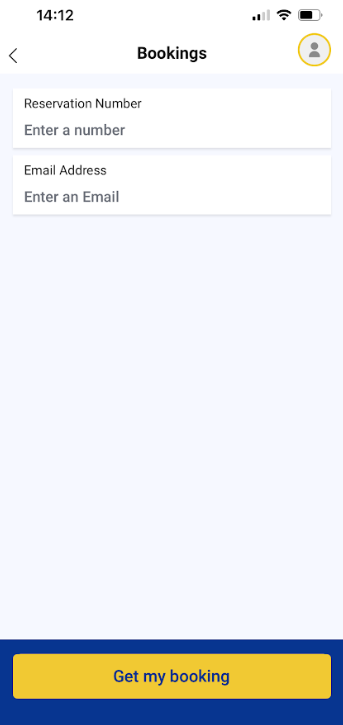
- Press "Retrieve my Booking"
- Enter your e-ticket reference and the booking email address.
- Scroll down to the check-in section and complete your check-in.
Please follow the screenshots below:
On the website:
- Go to Ryanair online check-in.
- Choose the option to log in using your "reservation number".
- Enter your Ryanair E-ticket reference and the booking email address, then log in.
- Scroll down to the check-in section and complete your check-in.
Remember: even if you check in on the website, you'll still need the app to access your boarding pass.