Before checking in, don't forget to ensure your passport is up to date with the latest requirements and is valid for your trip. You can check the entry requirements for your destination on the gov.uk website.
You can check in to your flight 24 hours before it departs.
You can check in on the airline's website or app. First, you'll need two things:
-
Your British Airways E-ticket reference — a six-character alphanumeric code shown in the 'Flight details' section of your Heidi MyBooking portal. You can find our guide for logging into your MyBooking portal here.
- The lead passenger's surname — the first person listed under 'Passenger details' in your Heidi MyBooking portal.
On the website:
- Go to the British Airways website.
- Click "Manage" in the top navigation.
- Click "Find my booking".
- Provide the surname of the lead passenger on your booking and your British Airways E-ticket reference.
On the app:
- If you're automatically signed in to a personal account, sign out first.
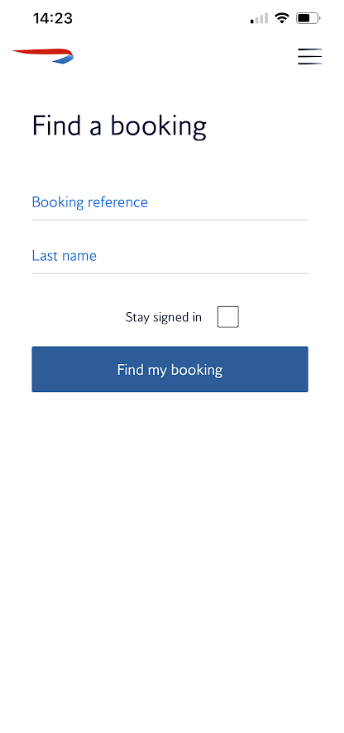
- Press "Find a booking"
- Enter your E-ticket reference and the lead passenger's surname.
Please follow the screenshots below: